

nbc logo (2)
Office address
National Engineering Industries Ltd.
Khatipura Road Jaipur – 302006 Rajasthan, India
Phone Number

Toll Free: 1800 3000 6222
Telephone: +91 141 222 3221
Fax: +91 141 222 1926, 222 2259
CIN: U29130WB1946PLC013643

What Is a Digital Display and What Types Are Available?

A Digital Display is an electronic screen that presents images, text, or video, often with content that can be updated remotely. You may see one above a shop counter, beside a train platform, or across a stadium wall. The term covers many products, not one standard screen. That can be confusing.

The market is growing. Grand View Research estimated the global digital signage market at USD 26.76 billion in 2023 and forecast an 8.1% compound annual growth rate from 2024 to 2030. These figures describe a broad market, so they should not be read as a guarantee for any single business. Screens differ in size, brightness, resolution, installation, and operating conditions. A sunny storefront has different needs from a dim meeting room. Small details matter.

This guide explains what a Digital Display is and introduces common types, including LCD, LED, OLED, interactive, and outdoor displays. It also outlines practical differences in visibility, content use, and placement. Some categories overlap, and product labels are not always consistent. That deserves a closer look. Choosing a display is not just about picking the sharpest image; the right option depends on where people will see it and what information they need.
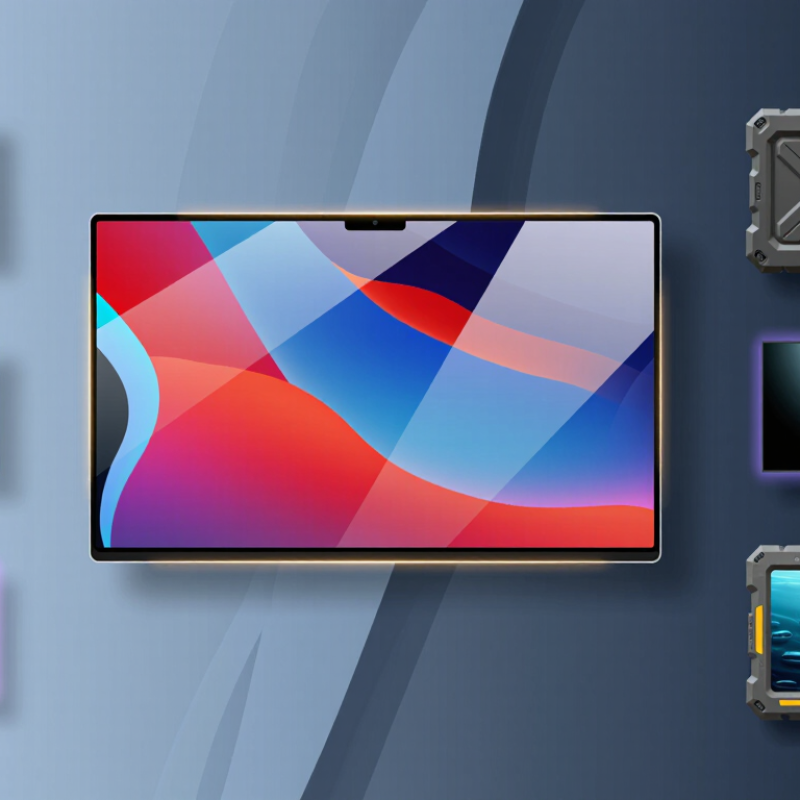
What Is a Digital Display and What Types Are Available?

What Defines a Digital Display?

A digital display is an electronic surface that turns digital image data into visible light. Its defining feature is not a particular shape or use, but the controlled presentation of changing visual information. A panel receives a signal, maps it to pixels, then adjusts color and brightness across the screen. Small details matter: a pixel grid, a refresh rate, and the distance between viewer and screen all affect what people can actually see. That distinction matters.

Resolution describes pixel count, while refresh rate describes how often the image updates. Brightness, contrast, and color accuracy shape visibility in a sunny shop window or a dim control room. Touch capability can add interaction, but it is not required for a display to be digital. Nor does one technology define the category: LCD, OLED, and direct-view LED systems produce images in different ways. Specs help, but they do not guarantee a good viewing experience.

The market’s breadth reflects this range. Grand View Research’s 2024 Digital Signage Market Size report valued the global market at about $28.8 billion in 2023 and projected an 8.1% compound annual growth rate from 2024 to 2030. That figure covers a broad commercial market, not every digital screen. A limitation worth noting. Real-world performance also depends on content quality, installation, and ambient light—details that a headline specification can easily miss.

What Is a Digital Display and What Types Are Available? — What Defines a Digital Display?

Display type How it creates an image Typical applications Common strengths Considerations
LCD Liquid crystals control how much light from a backlight passes through each pixel. Many current LCDs use LEDs as the backlight. Computer monitors, televisions, information screens, and instrument panels. Available in many sizes and resolutions; well suited to detailed text and graphics. Needs a backlight; black levels and viewing angles vary by panel design.
Direct-view LED Arrays of light-emitting diodes produce the colored pixels directly, rather than shining through an LCD panel. Large outdoor signs, venue displays, and modular video walls. Can form very large displays and deliver high brightness for viewing at a distance. Pixel pitch affects suitable viewing distance and image detail; installation and calibration may be complex.
OLED Organic light-emitting diodes emit light individually, so pixels can be switched off without a separate backlight. Televisions, phones, tablets, and other compact or high-contrast screens. Per-pixel light control supports deep blacks, high contrast, and thin panel designs. Long-term image retention can be a concern in some usage conditions; performance and lifespan depend on design and use.
MicroLED Tiny inorganic LEDs act as individually controlled, self-emissive pixels. Large-format displays and emerging premium screen applications. Self-emissive pixels can provide high brightness and contrast without a conventional backlight. Manufacturing and assembling very small pixels precisely is challenging.
E-paper Reflective display technology changes the arrangement of charged pigment particles to form text or images; many designs retain an image without continuous power. E-readers, electronic shelf labels, and low-power signage. Reflects ambient light and can use little power when a static image is displayed. Typically refreshes more slowly than video-oriented screens; color and motion capabilities depend on the display design.
Projection display An optical system projects an image onto a separate surface, such as a screen or wall. Classrooms, meeting rooms, cinemas, and large presentations. Can create a large image without requiring a display panel of the same size. Image quality depends on the projection surface, room lighting, distance, and alignment.

A digital display presents electronically generated visual information. Display types are commonly distinguished by how they produce, control, or reflect light.

How Digital Displays Create and Present Images

A digital display turns image data into light that viewers can see. Its controller divides each frame into pixels, tiny points arranged in rows and columns. Each pixel combines red, green, and blue light at different intensities to create colors. Pixels make the picture. More pixels can show finer detail, though screen size and viewing distance also affect sharpness.

The display refreshes these pixels many times per second, creating the impression of motion when images change quickly. In LCD screens, liquid crystals control light from a backlight; in OLED screens, pixels produce their own light. The controller also adjusts brightness and color, but the final image depends on the source file and the room. Strong sunlight can wash out a screen, while poor settings may make colors look unnatural. Small details matter.

Tips: Match image resolution to the screen’s native resolution when possible. Check brightness in the actual viewing space, not only in a dim office. Look closely at gradients and small text; banding or blur can reveal limitations. I sometimes find that a technically sharp image still feels harsh, so take time to judge it at normal viewing distance.

What Is a Digital Display? Resolution and Pixel Count

Digital displays present images using grids of addressable pixels. This chart compares the pixel counts of common display resolutions.

Pixel counts are calculated by multiplying each resolution’s horizontal and vertical dimensions. More pixels can provide finer image detail when the source content and viewing conditions support it.

The Main Components of a Digital Display

A digital display turns electrical signals into images, text, or video. Its visible surface is only one part of the system. Behind it, several components work together to create a stable picture. The display panel contains pixels that change color or brightness. In an LCD, a backlight shines through liquid-crystal layers. OLED pixels produce their own light, while LED displays use light-emitting diodes as pixels or backlights. The exact arrangement depends on the display type.

A controller receives image data and tells the pixels what to show. Driver circuits carry those instructions across rows and columns, updating the picture many times each second. The power supply provides the energy, and internal connections link these parts. A housing protects the panel and electronics, while heat-management features help prevent performance problems during long use. Small details matter. A loose connection or uneven backlight can make one area look dim. I used to think brightness alone determined picture quality, but viewing angle, contrast, and resolution matter too. That is not always obvious in a bright showroom. A display’s input ports and signal-processing hardware also affect which devices it can support and how smoothly it handles content.

Common Types of Digital Displays

Common Types of Digital Displays

LCD displays are widely used in monitors, televisions, kiosks, and information panels. They form images by controlling light through liquid crystals. Many screens described as LED displays are actually LCD panels lit by LEDs. Direct-view LED displays are different: tiny light-emitting diodes create the image themselves, often across large indoor or outdoor walls. That distinction matters. LCDs suit many everyday settings, while direct-view LED can remain visible across a bright, spacious area.

OLED displays use pixels that emit their own light, so dark scenes can look especially deep and detailed. They work well for close viewing, though prolonged static images may increase the risk of uneven pixel wear. E-paper displays, by contrast, use very little power to hold a page and remain easy to read in daylight. They refresh slowly, so they are better for labels or schedules than moving video. No type fits every job.

Projection displays create large images on a screen or wall, making them useful for presentations and shared viewing. Their image can fade in a sunlit room, and the projector needs suitable space. Choosing a display means considering viewing distance, ambient light, motion, and upkeep—not just resolution. Specifications help, but the room can change the result. I would not choose from numbers alone. A quick on-site viewing often reveals glare or awkward viewing angles that a product sheet misses.

Where Digital Displays Are Used and How to Choose One

Digital displays appear in places where information must change quickly: a café menu, a clinic queue screen, a station departure board, or a meeting-room directory. They may be LCD or LED screens, interactive kiosks, video walls, or outdoor high-brightness panels. Grand View Research valued the global digital-signage market at about $25.32 billion in 2022 and projected 8.1% annual growth from 2023 to 2030. The estimate signals wider adoption, but it does not mean every location needs a large screen.

Start with the viewing conditions. Think about glare. A bright window can wash out an indoor panel, while an outdoor screen needs suitable brightness and weather protection. Match screen size and resolution to viewing distance: small text on a distant display becomes decoration. For a narrow hallway, a portrait screen may fit better than a wide video wall. Check whether staff can update content easily, and confirm power, mounting, network access, and service requirements before buying. Test it first. A small pilot can reveal awkward sightlines or confusing menus before a full rollout. One detail is easy to overlook: frequent content changes only help when someone owns the schedule. Decide who updates messages, how often they change, and what viewers should do after reading them.