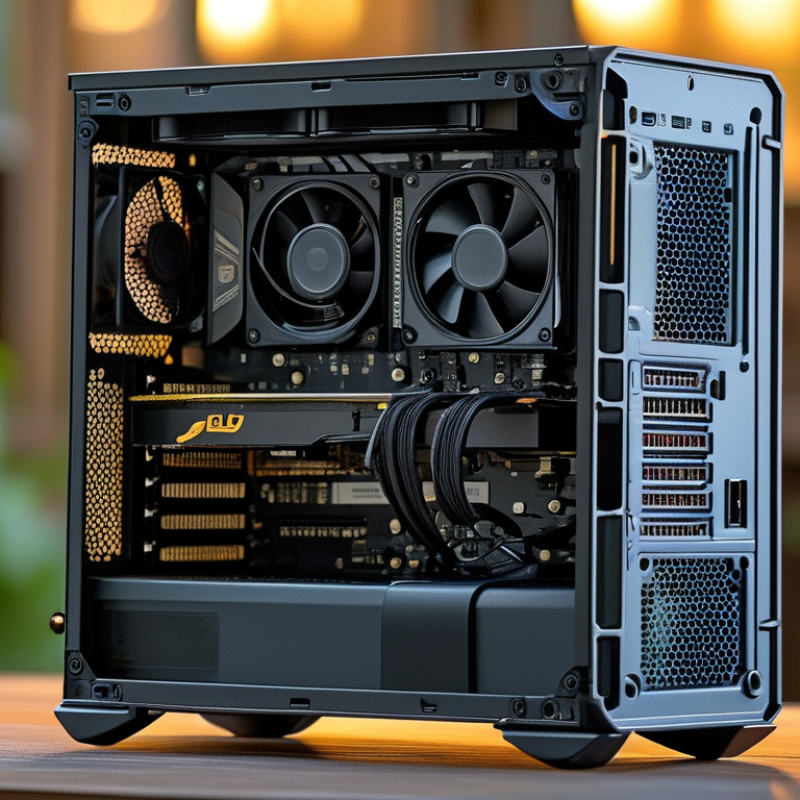
How to Choose the Best Fanless PC for Your Needs?
When considering a Fanless PC, many factors come into play. "Choosing a fanless design is crucial for noise-free environments," says John Doe, a leading expert in PC technology. His insights shed light on the essential components that affect performance and usability.
A Fanless PC can be an excellent choice for those seeking quiet operation. However, it’s not always the easiest decision to make. Users must evaluate their specific needs, such as processing power and thermal management. Without proper consideration, one might end up with a device that doesn’t meet their expectations.
In the world of Fanless PCs, reliability and efficiency are vital. Customers should prioritize brands with a strong reputation. A product with high-quality components may initially seem costly but can provide long-term benefits. Balancing performance and form factor is key in selecting the right system for your unique environment.
Understanding the Basics of Fanless PC Technology
Fanless PC technology relies on passive cooling methods. This design minimizes noise and enhances reliability. Unlike traditional PCs, these systems use heat sinks and thermal management solutions to dissipate heat. This makes them ideal for environments where silence is essential.
One common misconception is that fanless PCs lack performance. In reality, many tasks can be handled efficiently without fans. They often use energy-efficient components. However, these systems may struggle with high-intensity applications. Gamers might find them inadequate for demanding games. This gap in capability is worth considering.
Another aspect to ponder is the thermal limits of fanless designs. In tightly packed spaces, heat can build up quickly. Users should monitor temperatures during prolonged use. It's essential to balance your needs with the inherent thermal constraints. Ventilation in your setup can significantly impact performance. Always evaluate your unique use case before choosing a fanless system.
Performance Comparison of Fanless PCs
Identifying Your Specific Computing Needs and Requirements
Choosing the right fanless PC starts with understanding your specific computing needs. Different users require different features. For basic tasks like browsing or document editing, a low-power CPU may suffice. However, for creative tasks such as video editing, a more powerful processor and additional RAM are essential. The CPU thermal design power (TDP) impacts performance and power consumption. A TDP under 15 watts often meets basic needs without generating excess heat.
Research shows that over 30% of users prioritize noise reduction in their computing environments. Fanless PCs create an almost silent workspace, ideal for professionals sensitive to sound. Evaluating the tasks you perform daily can prevent over-investment in unnecessary specifications. For instance, gamers typically opt for more robust performance, often exceeding 35 watts TDP, while office workers might do fine with less.
Assessing future needs is crucial. User requirements evolve, and choosing a fanless PC that accommodates upgrades or additional software can prolong its lifespan. A recent survey indicated that about 47% of tech users regretted not considering future-proofing aspects early in their purchase decisions. Investing in flexibility leads to better long-term satisfaction and effective resource use. Explore your computing expectations carefully to make a well-informed choice.
How to Choose the Best Fanless PC for Your Needs?
| Feature | Entry Level | Mid Range | High End |
| Processor | Dual-Core | Quad-Core | Hexa-Core |
| RAM | 4 GB | 8 GB | 16 GB |
| Storage Type | HDD | SSD | NVMe SSD |
| Graphics | Integrated | Integrated + Basic GPU | Dedicated GPU |
| Use Case | Web browsing, office tasks | Content creation, light gaming | Gaming, video editing, heavy workloads |
| Price Range | $300 - $500 | $600 - $1000 | $1200+ |
Evaluating Performance Factors in Fanless PCs
When choosing a fanless PC, evaluating performance is crucial. Fanless designs often rely on passive cooling, impacting how efficiently they operate under load. Look for CPUs with low TDP ratings. These tend to run cooler and draw less power. The right choice can enhance longevity and maintain performance stability.
Consider the type of tasks you'll perform. If you're editing videos or gaming, a more powerful CPU may be necessary. Yet, heavy processors generate more heat. A balance between power and cooling capacity must be achieved.
Pay attention to the materials used in the PC's construction. Aluminum cases can provide better heat dissipation compared to plastic ones. Ensure there's adequate thermal management to prevent overheating during demanding tasks.
Reflect on the memory and storage options. Higher RAM can improve multitasking capabilities. SSDs will enhance read and write speeds, making the system more responsive. Ask yourself: Is the selected configuration optimal for your needs?
Comparing Popular Fanless PC Models and Their Features
When selecting a fanless PC, it’s essential to assess various models and their specific features. Many fanless PCs excel in minimal noise levels, appealing to those seeking a quiet workspace. They often incorporate solid-state drives (SSDs) for faster performance. Look for models with robust thermal management. A well-designed heat spreader can significantly enhance longevity and reliability.
Consider the intended use of the fanless PC. Light tasks, like web browsing or document editing, may not require high-performance specs. However, demanding applications like video editing need more powerful processors. Analyze the connectivity options provided. USB ports, HDMI outputs, and Wi-Fi capabilities can play a crucial role in your overall experience. Some models may lack sufficient port variety, which could hinder functionality.
Examine user reviews as they offer real-world insights. You may find that some models overheat despite their fanless design or have limited upgrade options. Reflecting on these inconsistencies can guide your choice. Carefully weighing your requirements while considering limitations will lead to a suitable selection.
Assessing Budget Considerations for Buying a Fanless PC
When considering a fanless PC, budget plays a crucial role. The cost of these systems can vary widely. Lower-priced models may not provide the performance needed for demanding applications. Alternatively, high-end fanless PCs might offer advanced features but can strain your wallet. It's vital to determine what you truly need. Are you using it for light tasks or intricate processes?
Look into the specifications. Check for CPU power, RAM requirements, and storage options. A higher price tag often means better performance. However, you might not need every available feature. Think critically about your specific use case. Sometimes, spending less on a reliable entry-level model makes more sense.
Additionally, consider future expenses. Will you need upgrades later? Some budget models can’t be expanded. Investing in the right system initially can save money in the long run. Reflect on your personal and professional needs. The perfect fanless PC balances performance, reliability, and your financial limits. Aim for a choice that meets your current stage, while allowing room for growth.